
If you’re like me and learn better with visuals, then Tableau would be a great tool for you! The main purpose of Tableau is to provide an easy way to create organized and professional data visualizations, and trust me when I say easy! It honestly took me under 15 minutes get the hang of everything.
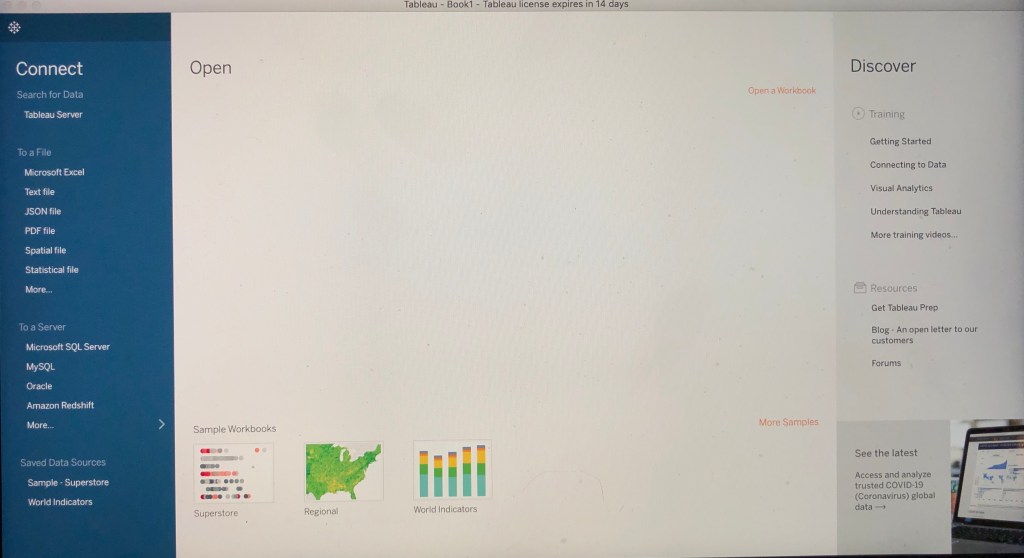
Pictured above is the first step once you open Tableau. From there you just pick what kind of file you want to make (I chose Microsoft Excel) and then BOOM, all that’s left is to pick what type of graph you want and enter in all your data! I made a couple of charts below to show you some of the options they have and how nice the data visuals can look.
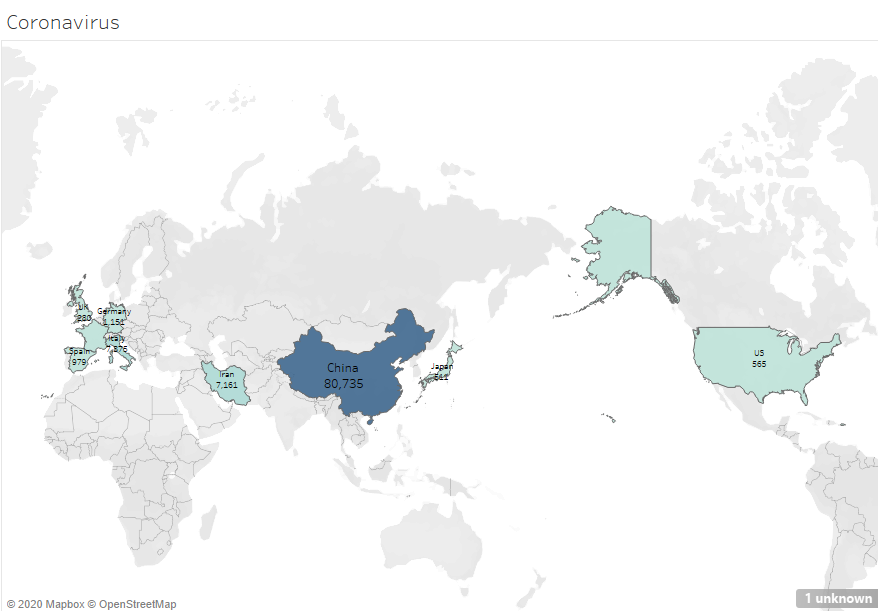
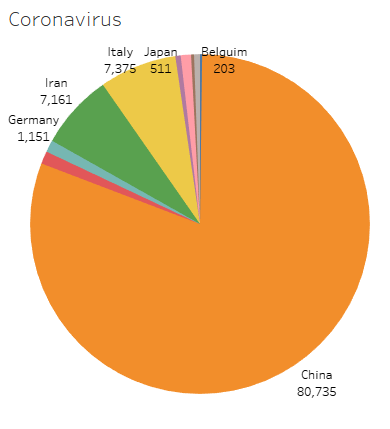
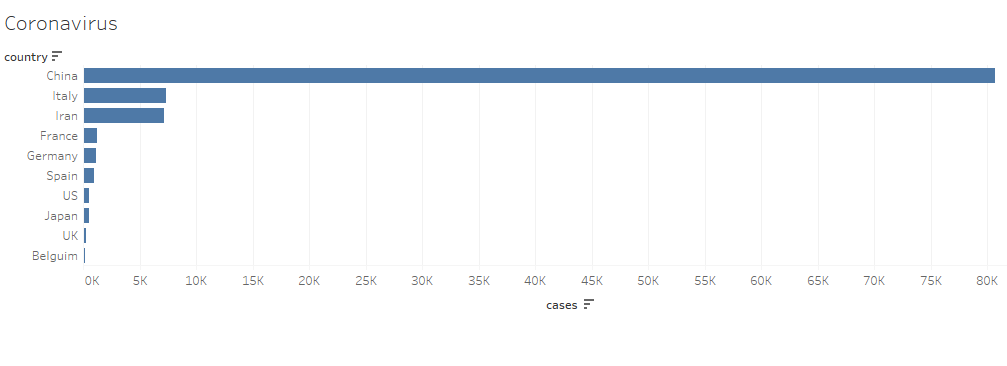
Pictured above and to the left is a “map graph”, the center is a “pie graph”, and the right is a “bar chart” that I made on COVID-19, or more commonly known as the Coronavirus. I really liked how with different graphs I felt a different impact, but they all had the same data. With the map graph it shows what areas of the world were affected and which weren’t. With the pie chart though, you can easily and quickly see which country had the most cases.
I know making a graph might seem pointless to some, but let me give you the 411 on why data visualisations are important. For starters, with data visuals you can communicate without even having to say or explain anything. This also saves time because you dont have to verbally go through and explain everything. Having data visuals can also broaden your chances of connecting to more people, since not everyone can absorb or understand verbal and written data. My favorite benefit of having a visual of your data is that you are more likely to catch someones attention and appear more credible. A great example of this, according to import.io , would be how throwing out a bunch of numbers and words to your boss won’t catch his attention, but a data visual can help him see the bigger picture (literally) and give in a snapshot to keep in his mind. So yeah, making a graph or chart might take like 1% more effort but it will be 100% worth it in the end.
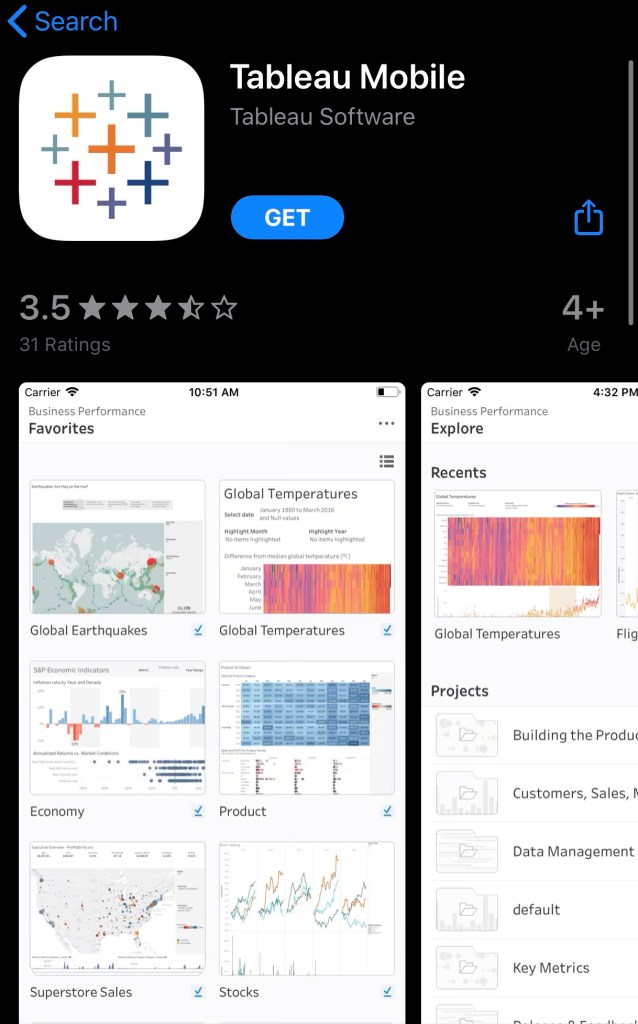
If you are interested in trying out Tableau you can download a free 14 day trial on the Tableau website, all you need is an business email. If you dont have a laptop, no need to worry because you can also down download the Tableau app on your smartphone!
 Amber Hubenschmidt